

The impossible shot,on schedule.
AFX lets filmmakers build visual effects with AI. Effects shots are flagged in PREVIS, so the effect is planned before anyone shoots or generates a frame.
 Shot 2J · Critical VFX master
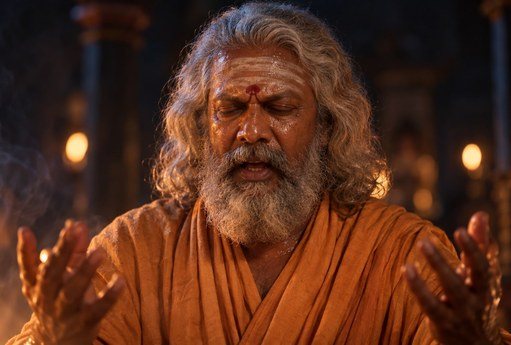 Before · 2IEffect · 2J
What moves, what stays.
The shot plan tells AFX exactly what the effect is, so the result matches the scene on the first pass.
Effects for every kind of story.
Objects and physics
Things that fly, fall, break or float, like the vessels in 2J.
Atmosphere
Smoke, fire, dust, rain and mist that sit in the scene's light.
Supernatural moments
Possession, visions and the unexplained, as the story needs.
Set extension
Bigger skies, crowds and locations around a practical set.
Clean-up
Remove rigs, signs and modern details from period scenes.
Matched to AIVS
Effects on generated footage use the same cast and light.
From flag to final.
An AFX shot follows the same path every time, and the director sees versions at each step.
- Step 1
Flag in PREVIS
The shot plan marks the effect, the lens and what moves.
- Step 2
Prepare the plate
Use footage from the shoot or generate it in AIVS.
- Step 3
Generate the effect
AFX builds the effect into the plate, matching light and camera.
- Step 4
Review versions
The director compares versions and asks for changes.
- Step 5
Deliver
Final shots go back to the edit in the same project.